X (Twitter) carousels provide a selection of posts for searchers to read and click through on the SERP. They can appear on desktop and mobile search results.
Here’s what an X carousel looks like on desktop search results:

And on mobile results:
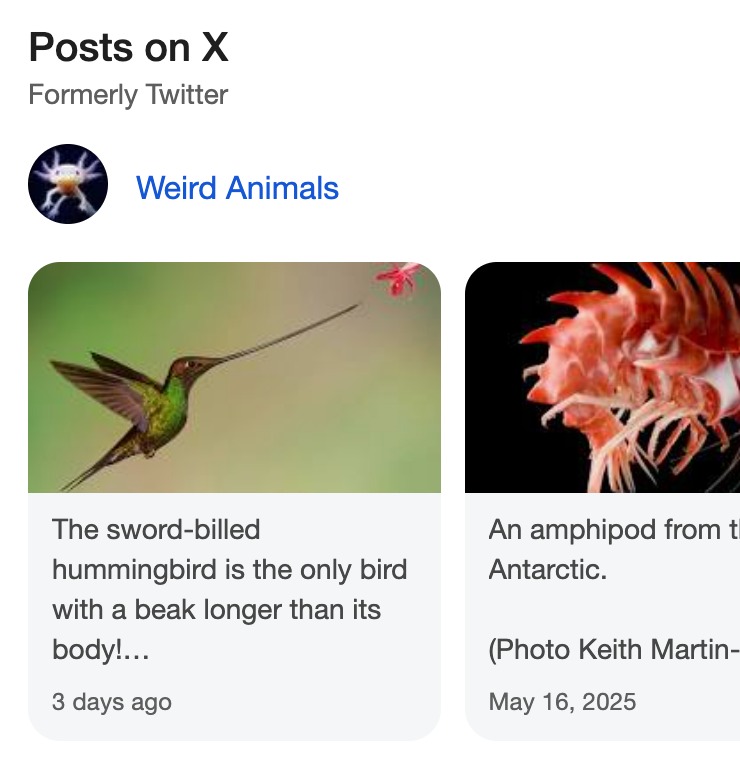
How to Get Your Posts Featured in an X Carousel
To get your own X carousel, you’ll need to post consistently on X.com and have an engaged following. Search Engine Land has an article on ranking for X carousels that suggests you should:
- Have at least a few hundred followers
- Create helpful and engaging posts
- Use popular hashtags
- Riff humorously on current events
- Incorporate emojis
How Semrush Collects Data About X Carousels
You can see if a specific post ranks for this SERP feature by entering the URL of the post into Organic Rankings. Then, change the "root domain" filter by the search bar to "exact URL."

- When we scan a keyword’s SERP, we identify whether or not an X carousel is present anywhere on the results page.
- If an X carousel is present on the results page, but the URL of the post you entered doesn’t appear for an X carousel: its icon will appear gray in the SERP Features column.
- If the URL of your post ranks for an X carousel: you’ll see a stand-alone blue icon listed in the Positions column. This will allow you to see estimated traffic coming from the post. You’ll also see another row in the same table with the URL’s organic ranking and estimated traffic.
To learn more about this SERP feature and others, read our SERP Features Guide.